Here are some of our gamis!
Showing posts with label Technology. Show all posts
Showing posts with label Technology. Show all posts
Thursday, June 25, 2015
Touring Canada
We had a lot of success with our #postcardproject and learned about a lot of different communities in Canada. Now we are using that learning along with Tellagami to create a virtual tour of Canada! Each student will create a gami with 30 seconds worth of the information they got on their postcard. The full details of each location can also be seen on our Google Map of Canada.
Here are some of our gamis!
Here are some of our gamis!

Friday, June 19, 2015
Mystery Skype Call
We have been practicing and preparing for our first Mystery Skype call! Finally the day is here and we will have our call this afternoon. We think we are all set.
We will use Skype to connect with a class somewhere else in the world. We will have to ask them yes or no questions to figure out where they are. This ties perfectly in with our recent explorations of Manitoba and Canada. We have been receiving postcards from people we know around Canada giving us information about their communities. The community we will connect with today is one of them!
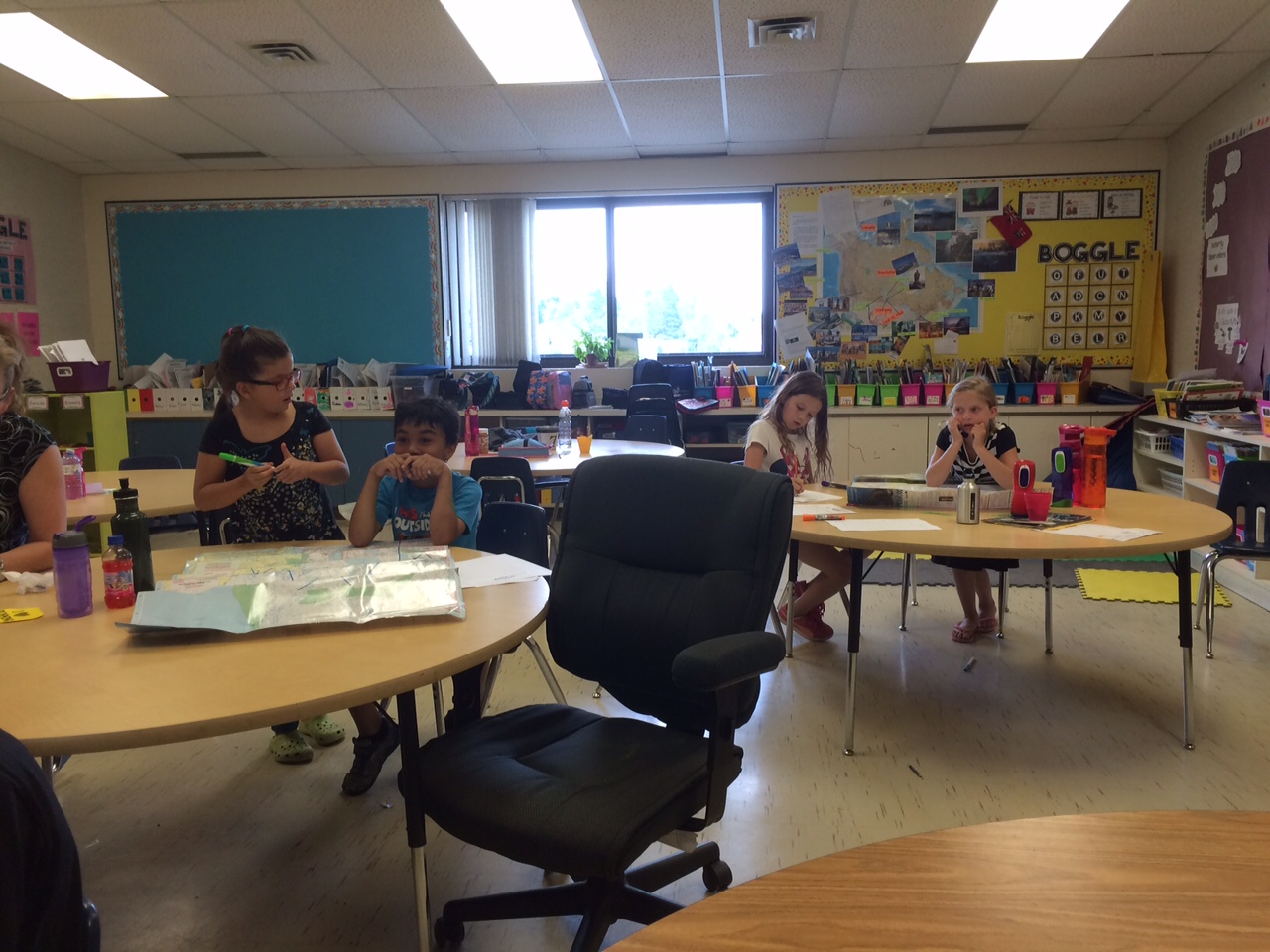
We will use paper maps that are laminated so we can write on them as we narrow down our guess. We will also have a Google map up on our projector that we can move and zoom in on as we narrow it down. We have practiced starting with general questions and then getting more specific as we hone in on a region. The questions have to be yes or no questions. Some questions we might ask are:
"Are you in the north or south part of Canada?"
"Are you in the east or west part of Canada?"
"Are you in the province/territory ...?"
"Are you in the north or south part of the province?"
"Are you in the east or west part of the province?"
"Are you close to water?"
"Is your home urban?"
We are super excited to connect with another class this way!
Update:
The call was a huge success! We asked really smart questions and narrowed it down quickly, just like we practiced. Some kids sat at the paper maps, some took photos, some asked questions, some wrote down the answers and some focused on the Google map. Everyone was totally engaged. We will totally do this again!
Seeing and hearing the students run the call, ask smart questions and be involved in their own way was so exciting for me. I love it when all the little parts of an inquiry or project come together and the kids have a really neat way to show me what they know. They applied what they have worked through this year in so many ways. Huge win!


We will use Skype to connect with a class somewhere else in the world. We will have to ask them yes or no questions to figure out where they are. This ties perfectly in with our recent explorations of Manitoba and Canada. We have been receiving postcards from people we know around Canada giving us information about their communities. The community we will connect with today is one of them!
We will use paper maps that are laminated so we can write on them as we narrow down our guess. We will also have a Google map up on our projector that we can move and zoom in on as we narrow it down. We have practiced starting with general questions and then getting more specific as we hone in on a region. The questions have to be yes or no questions. Some questions we might ask are:
"Are you in the north or south part of Canada?"
"Are you in the east or west part of Canada?"
"Are you in the province/territory ...?"
"Are you in the north or south part of the province?"
"Are you in the east or west part of the province?"
"Are you close to water?"
"Is your home urban?"
We are super excited to connect with another class this way!
Update:
The call was a huge success! We asked really smart questions and narrowed it down quickly, just like we practiced. Some kids sat at the paper maps, some took photos, some asked questions, some wrote down the answers and some focused on the Google map. Everyone was totally engaged. We will totally do this again!
Seeing and hearing the students run the call, ask smart questions and be involved in their own way was so exciting for me. I love it when all the little parts of an inquiry or project come together and the kids have a really neat way to show me what they know. They applied what they have worked through this year in so many ways. Huge win!


Wednesday, January 28, 2015
Our Student Blog Journey. On your mark, get set, start with paper. What!?
We are on the Kidblog journey! Very soon we will each have our own live blogs. This was the plan all along but the plan was quickly put into motion when we had a few students head off on vacation after Christmas.
Typically when students go away I send a travel journal with a few activities for them to do while they are away that they get to keep after as a vacation keepsake. This time I decided to give them the option of a paper travel journal or doing it on their kidblog. I gave them a quick how-to and they were off. You can check out their awesome travel blog posts here. Also take a look at the conversations that were generated in the comments section. Very cool.
When I introduce student blogs there are some safety and ethics conversations that need to happen first. We start with a conversation about what exactly a blog is, what all the different parts are about and what it means to be a responsible digital citizen. Much of this vocabulary is new, like posts, gadgets, commenting, global audience and digital citizenship. The children need to make the connection between what they say to someone in person and what they say to or about someone online as being the same thing. They need to understand that just because they are posting to their blog on their own doesn't mean that what they post does not affect other people. And they need to understand that unlike when they write in their notebook which stays on the shelf, when they post to their blog it is for a global audience. All of this comes with great responsibility that they need to understand and take seriously.
.jpg)

Next we tackle blog design. I want them to take time to think about catchy, thoughtful titles, writing posts that have purpose and make sense and the fun things like gadgets and backgrounds. I have found that they take more time with this and can focus on it better if we do it on paper first. They create a paper blog, doing the fun design parts first, and then will write and edit their first blog post on paper. We discuss the elements and process expected for writing a quality blog post. Once that is complete we will discuss and create criteria for quality commenting and use sticky notes to leave comments on each others paper blogs.


It may sound like a drawn out process but I feel very strongly about the teaching that needs to take place around digital citizenship and using social media responsibly. In this day and age, we need to take online safety, responsibility and respect as seriously as we do in our classrooms and hallways.

I have adapted some of these ideas from @pernilleripp.
Typically when students go away I send a travel journal with a few activities for them to do while they are away that they get to keep after as a vacation keepsake. This time I decided to give them the option of a paper travel journal or doing it on their kidblog. I gave them a quick how-to and they were off. You can check out their awesome travel blog posts here. Also take a look at the conversations that were generated in the comments section. Very cool.
When I introduce student blogs there are some safety and ethics conversations that need to happen first. We start with a conversation about what exactly a blog is, what all the different parts are about and what it means to be a responsible digital citizen. Much of this vocabulary is new, like posts, gadgets, commenting, global audience and digital citizenship. The children need to make the connection between what they say to someone in person and what they say to or about someone online as being the same thing. They need to understand that just because they are posting to their blog on their own doesn't mean that what they post does not affect other people. And they need to understand that unlike when they write in their notebook which stays on the shelf, when they post to their blog it is for a global audience. All of this comes with great responsibility that they need to understand and take seriously.
Next we tackle blog design. I want them to take time to think about catchy, thoughtful titles, writing posts that have purpose and make sense and the fun things like gadgets and backgrounds. I have found that they take more time with this and can focus on it better if we do it on paper first. They create a paper blog, doing the fun design parts first, and then will write and edit their first blog post on paper. We discuss the elements and process expected for writing a quality blog post. Once that is complete we will discuss and create criteria for quality commenting and use sticky notes to leave comments on each others paper blogs.
It may sound like a drawn out process but I feel very strongly about the teaching that needs to take place around digital citizenship and using social media responsibly. In this day and age, we need to take online safety, responsibility and respect as seriously as we do in our classrooms and hallways.
I have adapted some of these ideas from @pernilleripp.
Thursday, October 17, 2013
Quality Commenting on Kidblog
Since we seem to be getting the hang of posting to our student blogs, I thought it was a good time to venture into the world of commenting. A number of my smarty-pants 7 year olds very quickly figured this out on their own but we hadn't set criteria for leaving comments.
I referred back to my tweep, @pernilleripp for a great way to explain the type of comments we want to write. We discussed and compared the difference between "highway comments" and "dead end comments". It always feels great to get a comment and know that there are people out there reading your posts, but we are hoping to generate discussion with our comments.
Dead end comments are kind and usually involve a compliment. For example, "Great job on your post, Leslie!" A highway comment is kind and complimentary but it also opens the door for discussion to begin. For example, "I really enjoyed reading your post, Leslie. I am reading it in Vancouver, Canada. Can you find that on a map? In Vancouver it is warm and sunny right now. What is the weather like in Winnipeg?" One of our main goals in commenting on blog posts is to start a conversation. When a commenter asks a question, the blogger can reply to their comment with the answer and perhaps another question.
Our criteria for quality commenting on blog posts is:
I referred back to my tweep, @pernilleripp for a great way to explain the type of comments we want to write. We discussed and compared the difference between "highway comments" and "dead end comments". It always feels great to get a comment and know that there are people out there reading your posts, but we are hoping to generate discussion with our comments.
Dead end comments are kind and usually involve a compliment. For example, "Great job on your post, Leslie!" A highway comment is kind and complimentary but it also opens the door for discussion to begin. For example, "I really enjoyed reading your post, Leslie. I am reading it in Vancouver, Canada. Can you find that on a map? In Vancouver it is warm and sunny right now. What is the weather like in Winnipeg?" One of our main goals in commenting on blog posts is to start a conversation. When a commenter asks a question, the blogger can reply to their comment with the answer and perhaps another question.
Our criteria for quality commenting on blog posts is:
- Be kind and appropriate.
- Give a compliment.
- Ask a question.
- Make a connection.
- Re-read your comment for spelling, punctuation and upper case letters.
- Sign your first name only.
Tuesday, October 1, 2013
Paper Blogs! {IBL}
We made our paper blog posts. We wrote something about us like what we like to do. -Carter
We tried our own blog posts on our blog paper. -Corbin
We always start our sentences with upper case letters. We end our sentences with punctuation. -Anthony
We have criteria for blog posts. We have to sound it out if we don't know or ask a friend. And no personal information. Include all the important information and it has to make sense. -Carson
Don't use your address and be kind when blogging. -Georgia
We use a catchy title for our blog posts so people will keep on reading. -Adrianna
If you don't know how to spell a word, sound it out or ask a friend or look around. -Mikaela
When we are done we gave it to our teacher. -Lucas
It was fun making our paper blog posts because soon we are going to have our own blogs. -Isabella
I loved writing the sentences because we will have our own blogs someday. -Rhyann


We tried our own blog posts on our blog paper. -Corbin
We always start our sentences with upper case letters. We end our sentences with punctuation. -Anthony
We have criteria for blog posts. We have to sound it out if we don't know or ask a friend. And no personal information. Include all the important information and it has to make sense. -Carson
Don't use your address and be kind when blogging. -Georgia
We use a catchy title for our blog posts so people will keep on reading. -Adrianna
If you don't know how to spell a word, sound it out or ask a friend or look around. -Mikaela
When we are done we gave it to our teacher. -Lucas
It was fun making our paper blog posts because soon we are going to have our own blogs. -Isabella
I loved writing the sentences because we will have our own blogs someday. -Rhyann
Thursday, September 26, 2013
Getting Started with Kidblogs! {IBL}
"It's a big responsibility, you're the only ones in our school so far with personal blogs. Can you handle it?" You can imagine the intensity of fist pumps and quiet "yessss" under their breaths.
Today the children in Room 9 are embarking on a blogging adventure. Each child will have their own blog space on Kidblog that will be all their own. I know they expected to come to the lab and "get on the blogs already" but there is a lot to talk about first. We started with, and will continue to talk about being responsible digital citizens, how to write quality blog posts and quality commenting. It is very important to me that the children appreciate the responsibility of having a global audience and also understand what is and isn't appropriate to post for this audience.
The children will be supported to write, edit and publish their work but it will be their work. Their posts will be a true snapshot of who they are as writers at this point in their lives. By the end of the year we will be able to look back and see how much they have grown in our 10 months together! That sounds pretty awesome to me.
A note about KidBlogs...
KidBlogs is a blogging platform that allows teachers to set up accounts for their students under the umbrella of a classroom account. This means that I have complete control over what is posted to each blog. Before any post or comment appears online, I receive an email and then have the option to approve, deny, or edit the post or comment. If the post or comment meets our criteria, I approve it and then it can been seen by others. I moderate everything and choose what goes live.


Today the children in Room 9 are embarking on a blogging adventure. Each child will have their own blog space on Kidblog that will be all their own. I know they expected to come to the lab and "get on the blogs already" but there is a lot to talk about first. We started with, and will continue to talk about being responsible digital citizens, how to write quality blog posts and quality commenting. It is very important to me that the children appreciate the responsibility of having a global audience and also understand what is and isn't appropriate to post for this audience.
The children will be supported to write, edit and publish their work but it will be their work. Their posts will be a true snapshot of who they are as writers at this point in their lives. By the end of the year we will be able to look back and see how much they have grown in our 10 months together! That sounds pretty awesome to me.
A note about KidBlogs...
KidBlogs is a blogging platform that allows teachers to set up accounts for their students under the umbrella of a classroom account. This means that I have complete control over what is posted to each blog. Before any post or comment appears online, I receive an email and then have the option to approve, deny, or edit the post or comment. If the post or comment meets our criteria, I approve it and then it can been seen by others. I moderate everything and choose what goes live.
Tuesday, May 28, 2013
Paper Slide Videos :: The Respiratory System {IBL}
The second video in our grade 5 human body series is The Respiratory System!
The Respiratory System from LeslieDent on Vimeo.
Friday, May 10, 2013
Watching Animals LIVE!
We are live streaming our caterpillars again, you can see the feed along the right side of our blog. As in past years, there are many other animals to watch live online using sites like livestream and ustream. Some popular ones are the Decorah Eagles and the Peregrine Falcons that nest in downtown Winnipeg. The Peregrine Falcon cam will be live from Winnipeg on May 15, 2013.
I also just found an active Eagle nest in Minnesota! There are two eaglets in this nest that hatched 3.5 weeks ago. They have not left the nest yet. Today in their nest there is half a fish they are feasting on!
We will keep tabs on these live streaming animals and typically check in on them each day as we come back after lunch. Watching them sparks some very interesting conversations and learning. For example, today we noticed that the eagle nest looks pretty big. We looked up facts on eagles nests and found that they can be 2 metres wide! That is taller than the children in our class and bigger than the tables we sit at! We also read that eagles nests can be as deep as 4 metres which is higher than our classroom roof. We aren't sure if that is true and need to look into it a little further.
Have a great weekend!
-Mrs. Dent Scarcello :)
I also just found an active Eagle nest in Minnesota! There are two eaglets in this nest that hatched 3.5 weeks ago. They have not left the nest yet. Today in their nest there is half a fish they are feasting on!
We will keep tabs on these live streaming animals and typically check in on them each day as we come back after lunch. Watching them sparks some very interesting conversations and learning. For example, today we noticed that the eagle nest looks pretty big. We looked up facts on eagles nests and found that they can be 2 metres wide! That is taller than the children in our class and bigger than the tables we sit at! We also read that eagles nests can be as deep as 4 metres which is higher than our classroom roof. We aren't sure if that is true and need to look into it a little further.
Have a great weekend!
-Mrs. Dent Scarcello :)
Thursday, April 25, 2013
Music Monday
On Monday it is Music Monday. Everybody in Canada they sing the song ISS (Is Somebody Singing) by Commander Chris Hadfield and The Barenaked Ladies. - Elisa
Most people try to sing at the exact same time. In our time zone it is at 12:00. -Carter V.
We are singing ISS for Commander Chris Hadfield. -Rebecca
We like the song ISS because at the end of the video Cmdr Hadfield lets go of his guitar and it floats because there is no gravity in space. -Katrina
ISS also stands for International Space Station. -Alexa
We are hoping to watch the live concert of Cmdr Hadfield from space on Monday at 12 pm (EDT). -Iain
The music video of the song is awesome! -Laine
ISS the video is really cool. I like it when he throws the guitar. -Paige
If you haven't already heard of Commander Chris Hadfield and the ways he is connecting from space, listen up! Here is yet another example of the positive ways he is using technology and social media to connect with youth in Canada and around the world. He has done live video chats with schools including Chief Peguis from RETSD, regularly tweets amazing photos of Earth from space (@Cmdr_Hadfield), is connected through Facebook, posts videos and answers questions that are sent to him through any of these platforms. He is definitely worth checking out and following. -Mrs. Dent Scarcello :)
Most people try to sing at the exact same time. In our time zone it is at 12:00. -Carter V.
We are singing ISS for Commander Chris Hadfield. -Rebecca
We like the song ISS because at the end of the video Cmdr Hadfield lets go of his guitar and it floats because there is no gravity in space. -Katrina
ISS also stands for International Space Station. -Alexa
We are hoping to watch the live concert of Cmdr Hadfield from space on Monday at 12 pm (EDT). -Iain
The music video of the song is awesome! -Laine
ISS the video is really cool. I like it when he throws the guitar. -Paige
If you haven't already heard of Commander Chris Hadfield and the ways he is connecting from space, listen up! Here is yet another example of the positive ways he is using technology and social media to connect with youth in Canada and around the world. He has done live video chats with schools including Chief Peguis from RETSD, regularly tweets amazing photos of Earth from space (@Cmdr_Hadfield), is connected through Facebook, posts videos and answers questions that are sent to him through any of these platforms. He is definitely worth checking out and following. -Mrs. Dent Scarcello :)
Thursday, February 23, 2012
Lots of New Books!
Well, not really lots of new books but it seems that way! Lately, many of our students have been discovering new books and authors that they love. The best part is that they are talking about these new books they love and the demand for them is spreading like wild fire! I must say, I am very happy to see something other than "Diary of a Wimpy Kid" floating around here!
We were talking at the end of the day about how we could share our new titles with our virtual audience using a web tool. A simple blog post is fine but a list we could add to continuously with our favourites is even better. As we were scrolling through the blog looking for a tool we had used in the past that would work for this, there it was, at the bottom of our page - our Shelfari! Of course! What better way than our Shelfari!
Mrs. Tresoor and I have been scheming about some "not a boring book report" tasks the kids could do when they are finished reading a book. I found this blog post that got me thinking about the cool ways students could respond to their reading. We want our students to be more accountable for what they are reading. We also want them to share what they are reading with their peers, just like they have been today, because we know how powerful peer opinion is when it comes to choosing a book. We both started with a "Now I am Reading..." chart in the room where students put a sticky note of the book they are reading. When they finish it, they give me that sticky note and put a new one with their title. Today alone, 11 sticky noes were handed in for new ones! Awesome.
One of the "not a boring book report" tasks we have been planning to introduce was to write a book review on Shelfari (or chapters.ca or amazon.ca etc). Previously I have used our Shelfari myself, adding books that I read with my students, that my students read, that I read professionally and personally. This is probably why it sits there at the bottom of our blog, lonely and ignored. Now that I have used it with my students, they are more aware of it and will be much more likely to scroll allllll the way down there!
You can check out our Shelfari by scrolling down, all the way down (perhaps I should move it???) to the bottom of our blog. Or, you can click here. You will notice not all the books are children's books. I also post some of the personal reading I do here. I think it is important for my students to see me as a reader and see the books that I read when I am at home.
Stay tuned for the book reviews coming soon to our Shelfari!
We were talking at the end of the day about how we could share our new titles with our virtual audience using a web tool. A simple blog post is fine but a list we could add to continuously with our favourites is even better. As we were scrolling through the blog looking for a tool we had used in the past that would work for this, there it was, at the bottom of our page - our Shelfari! Of course! What better way than our Shelfari!
Mrs. Tresoor and I have been scheming about some "not a boring book report" tasks the kids could do when they are finished reading a book. I found this blog post that got me thinking about the cool ways students could respond to their reading. We want our students to be more accountable for what they are reading. We also want them to share what they are reading with their peers, just like they have been today, because we know how powerful peer opinion is when it comes to choosing a book. We both started with a "Now I am Reading..." chart in the room where students put a sticky note of the book they are reading. When they finish it, they give me that sticky note and put a new one with their title. Today alone, 11 sticky noes were handed in for new ones! Awesome.
 |
| The pile of sticky notes from TODAY alone! |
You can check out our Shelfari by scrolling down, all the way down (perhaps I should move it???) to the bottom of our blog. Or, you can click here. You will notice not all the books are children's books. I also post some of the personal reading I do here. I think it is important for my students to see me as a reader and see the books that I read when I am at home.
Stay tuned for the book reviews coming soon to our Shelfari!
Expert Projects
We have recently introduced a new element to our Daily Five called Expert Projects. Students can use one of their choices each day during Daily Five to work on a topic of their choice. They may choose to share knowledge from personal experiences or research using books, the internet or other people. These expert projects will be presented to the class as they are complete. Some have been shared here on our Expert Projects page as well as on the student's personal blogs. Students have to set up a plan, follow the expectations set out and work towards the rubric we created.
Daily Five is by far a favorite in our class, primarily because of the choice it gives students. When expert projects were introduced, at least 95% of the students jumped right in to a project. The freedom and variety that these projects offers is very appealing to them. Some students have already completed more than one!
While working on an expert project, students are covering a gigantic range of skills including reading/scanning for information, recording information in jot notes, organizing information, tracking resources, using a variety of resources, writing information in sentences using their own words, publishing work using a HUGE variety of tools (web 2.0 and good old marker and paper!) and speaking to an audience. Phewf, sounds like a lot of hard work. But they love it and have fun doing it so it doesn't feel like a lot of hard work.
It's a win-win for us all :)


Daily Five is by far a favorite in our class, primarily because of the choice it gives students. When expert projects were introduced, at least 95% of the students jumped right in to a project. The freedom and variety that these projects offers is very appealing to them. Some students have already completed more than one!
While working on an expert project, students are covering a gigantic range of skills including reading/scanning for information, recording information in jot notes, organizing information, tracking resources, using a variety of resources, writing information in sentences using their own words, publishing work using a HUGE variety of tools (web 2.0 and good old marker and paper!) and speaking to an audience. Phewf, sounds like a lot of hard work. But they love it and have fun doing it so it doesn't feel like a lot of hard work.
It's a win-win for us all :)


Tuesday, January 10, 2012
Publishing Tools
Just as we are getting back at it, 2 great links came my way via my Twitter network. Both relate to some great new ways to publish student work that we are going to look at this term. These come from GlennW and Mrs Ripp. You can check out their full posts by clicking their names. Some of the most exciting ones in my eyes include:
- Flipsnack - A free site with Premium features, Flipsnack will quickly convert uploaded PDF documents into a cool virtual magazine with flipping pages and it’s easy enough for even adults to figure out. You can view and share the online version in a variety of ways including Facebook, Twitter and html embed codes.
- Issuu - Issuu is another tool that kids can use to upload almost any document format and create a virtual flipping book. Like Flipsnack, you can share or embed whatever you upload.
- Blog about your book; reflect, ask questions, see if others have read it.
- Create a wordle about the word associations you had with the book
- Sell the book to your classmates, how can you get them to read it - written or oral - try this even if you did not like the book, can you still convince others?
- Write a letter/email to the author (even if no longer alive). Tell them what you thought of their book.
- Create a VoiceThread discussing your book's message.
- Pretend you are the author on a Voki and tell us about your newest project.
- Use Shelfari to post the book and then explain why you chose to post it.
A Proud Teacher and Welcome 2012!
Welcome to 2012! We all had a fanatstic break that came just in time. Yesterday we talked a little through the day about the good things that happened over the holidays. In some cases, I already knew what had happened for my students because they blogged about it over the holidays :) Nothing could have made me more proud and satisfied than to see my students wanting to write about authentic life experiences on their holidays! This makes the time and effort that goes to setting up and maintaining tools like student blogs worth it. Yesterday we got another surprise when Mason put through a post about his trip to Palm Springs. It was a surprise because I didn't know he was away but more so because he made an Animoto of his trip! Another proud moment because he is a) blogging on vacation, and b) using a tool (Animoto) that I have shown him but not necessarily used with him. He remembered it and figured it out on his own.
My holidays were fantastic, so much happened! I love it when Christmas is right at the beginning of the break because it leaves a whole 2 weeks for travel, visits and projects. This year it was visits and projects. At our house we are doing a big renovation and our whole main floor has been gutted! This means no kitchen and no bathroom, yikes! I was also able to spend time with my 4 nieces and nephews from Kenora snowmobiling, skiing, skating and at the circus (at the Manitoba Museum). Mixed in with all of this were some visits with friends and quiet mornings (away from the renos) with my new Steve Jobs book. It was great to come back to school feeling refreshed and ready to get going with some new ideas.
 Have a great 2012!
My holidays were fantastic, so much happened! I love it when Christmas is right at the beginning of the break because it leaves a whole 2 weeks for travel, visits and projects. This year it was visits and projects. At our house we are doing a big renovation and our whole main floor has been gutted! This means no kitchen and no bathroom, yikes! I was also able to spend time with my 4 nieces and nephews from Kenora snowmobiling, skiing, skating and at the circus (at the Manitoba Museum). Mixed in with all of this were some visits with friends and quiet mornings (away from the renos) with my new Steve Jobs book. It was great to come back to school feeling refreshed and ready to get going with some new ideas.

-Mrs. Dent Scarcello :)
Wednesday, November 16, 2011
More Time Chilling With Nanuq!
Today was one of those days that remind me why I love being a teacher.
We tuned in to Edmodo and Polar Bear International's webcast live from Churchill hosted by our new friend Andy McKiel. You could have heard a pin drop in this room if it weren't for the scratching of pencils on paper as the students madly wrote their facts and reflections about what they were learning. Everyone was totally engaged in the webcast and the learning that happened, the discussions that were sparked, was priceless. I have included some snaps of our reflections and discoveries that were recorded during the webcast in the animoto below. I wish I could post them all! Some kids even filled the back side of their paper, it was like their little minds were exploding with new information! This week we will be starting inquiry projects about severe weather and climate change, I am guessing there will be a lot of inquiring around our fresh interest in the Greenhouse Effect!
After watching the webcast, we read some of Andy's blog posts from his experience (awesome) and talked about his question, "If polar bears could talk, what would they say?" We also read "Winston of Churchill" which shares a lot of "polar bear opinion" to get our minds working. We had some great ideas about what polar bears would say and extended that to explain WHY they would say it. We posted our ideas as comments on Andy's blog and he replied to all of our questions! Check out our ideas and his responses.
Here are some of our facts, reflections, thoughts and sketches from what we learned today:
The topic of the webcast today was "Polar Detectives: Living In A Sustainable World" which talked a lot about climate change, fitting perfectly into the end of our weather exploration in Science! Below is the recording from today's webcast. Skip ahead to 9:25 for the beginning of the webcast. All of the webcasts from this week are embedded in the video page of Andy's blog if you would like to take a look.
The song that plays as you wait for the webcast to start is "The Polar Bear Song/Bjorn's Song":
Webcast (skip ahead to 9:25):
We tuned in to Edmodo and Polar Bear International's webcast live from Churchill hosted by our new friend Andy McKiel. You could have heard a pin drop in this room if it weren't for the scratching of pencils on paper as the students madly wrote their facts and reflections about what they were learning. Everyone was totally engaged in the webcast and the learning that happened, the discussions that were sparked, was priceless. I have included some snaps of our reflections and discoveries that were recorded during the webcast in the animoto below. I wish I could post them all! Some kids even filled the back side of their paper, it was like their little minds were exploding with new information! This week we will be starting inquiry projects about severe weather and climate change, I am guessing there will be a lot of inquiring around our fresh interest in the Greenhouse Effect!
After watching the webcast, we read some of Andy's blog posts from his experience (awesome) and talked about his question, "If polar bears could talk, what would they say?" We also read "Winston of Churchill" which shares a lot of "polar bear opinion" to get our minds working. We had some great ideas about what polar bears would say and extended that to explain WHY they would say it. We posted our ideas as comments on Andy's blog and he replied to all of our questions! Check out our ideas and his responses.
Here are some of our facts, reflections, thoughts and sketches from what we learned today:
The topic of the webcast today was "Polar Detectives: Living In A Sustainable World" which talked a lot about climate change, fitting perfectly into the end of our weather exploration in Science! Below is the recording from today's webcast. Skip ahead to 9:25 for the beginning of the webcast. All of the webcasts from this week are embedded in the video page of Andy's blog if you would like to take a look.
The song that plays as you wait for the webcast to start is "The Polar Bear Song/Bjorn's Song":
Webcast (skip ahead to 9:25):
Watch live streaming video from tundraconnections at livestream.com
It was a great day in grade 5!
-Mrs. Dent Scarcello :)
Monday, November 7, 2011
Bird's Hill School Me to We Club
Today a group of kids from our Me to We Club were invited to attend the Media Literacy Week kickoff event at the Manitoba Museum. The theme of Media Literacy Week this year is Digital Citizenship and how we can use digital media with children in a positive way, how we can use digital media to make the world a better place and to create change.
You can see more about our Me to We Club and our video presentation from today at our BHSFreetheChildren blog.
Here we are being interviewed by CBC!

You can see more about our Me to We Club and our video presentation from today at our BHSFreetheChildren blog.
Here we are being interviewed by CBC!

-Mrs. Dent Scarcello :)
Friday, October 28, 2011
Sharing With Voki
Brooke finished her TWAS early and was exploring Voki. She created this clip about our day.

Halloween Silhouette Art
This week we created Halloween silhouette art as seen on ThatArtistWoman's Blog. She has so many fantastic ideas and explains them all step by step. After I used the Artsonia app to load our artwork to our student art gallery, I created an Animoto video of our art work using the Animoto app on my iPhone. It was so easy to do, the only hiccup was that I couldn't rotate the photos so some of them are sideways :( Check out our video...
Monday, October 24, 2011
Plastic Bag Assembly Production
Tomorrow we will be having an assembly and sharing our Plastic Bag Round Up project with the school. They know it is going on because we have talked about it, advertised it and sent notes home but we thought we should share our progress.
Last year my students and I created a video for this same purpose. When I showed it to grade 5 to kick off and explain our plastic bag project this year, they immediately wanted to make one of their own. I thought this was a great way to introduce Animoto so that the students could use it on their own in the future.
We took photos and video clips during each of our bag counting days and started putting the video together as a class. Today, we did some more detailed planning using linoit, digital sticky notes, which allowed us to organize our plans as we brainstormed. Here is our final linoit product.
Last year my students and I created a video for this same purpose. When I showed it to grade 5 to kick off and explain our plastic bag project this year, they immediately wanted to make one of their own. I thought this was a great way to introduce Animoto so that the students could use it on their own in the future.
We took photos and video clips during each of our bag counting days and started putting the video together as a class. Today, we did some more detailed planning using linoit, digital sticky notes, which allowed us to organize our plans as we brainstormed. Here is our final linoit product.
Before we got to this point, we had brainstormed all the things that needed to be included in our video production. Once we had all the ideas down, we were able to move them into the order we wanted them incorporated and decide who would like to be recorded saying each one. Once this was done, we grouped the notes to show who would record whom and talked about video recording skills. (Boy, when I put it all down in detail, we got through a lot!) The students recorded each other on our Flip cameras and voila! Our production! (Well, not quite just voila. I am finishing it off in Animoto due to our deadline of tomorrow.) We will post the video once we have shared it with our school community.
-Mrs. Dent Scarcello :)
Thursday, October 20, 2011
Publishing With Book Creator
This week i finished my frist story in daily 5. So I got to publish it on the ipad. The ipad is from a group that Mrs.Dent Scarcello is in. I got to publish it on a app on the ipad called "Book creater". Book Creater is where you get to type your book, when you are publishing you get to put pictures in your book. Its very cool and when you are done your book it goes strate into "ibooks" (if you have it) but if you dont have it, it just stays in book creater. Book creater is a great way to share your storys and to get your friends to read them. I love doing book creater and I can't wait to finish my other book in daily 5.
- Jada :)
- Jada :)
Wednesday, October 19, 2011
New Netbooks!
Our school got all new computers last week including a mobile lab of 30 netbooks! We are the lucky ones that get to try them out first because our teacher got them organized. We are each going to comment on this post from our desks in our classroom!


- Mrs. Dent Scarcello's Class :)
Subscribe to:
Posts (Atom)